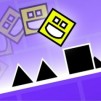
Geometry Dash Scratch immerses you in a world of speed and requires players to have highly precise reflexes with each artistic and professional jump.
An Introduction to Geometry Dash Scratch
The Scratch game recreates the familiar obstacle course gameplay. Your task is to move the continuously moving geometric blocks and jump at the right time to avoid dangerous obstacles. Because it's created by many different users, Geometry Dash Scratch has many variations in difficulty, level design, and style.
Guide to Playing Geometry Dash Scratch
- You control a square block that automatically slides forward. Your only task is to jump to avoid obstacles.
- The game features a gravity mechanism that causes the character to fall after jumping, requiring precise timing to overcome various obstacles.
- Try to avoid your square block colliding with any obstacles during movement. Obstacles you can identify include triangles, rectangles, or other shapes, appearing randomly or moving rhythmically.
- Timing is crucial. You need to jump at the right time to avoid moving or unexpectedly appearing obstacles.
Controls Guide
Devices:
- Simply tap anywhere on the screen to make the character leap or rise into the air, allowing you to dodge incoming obstacles.
Desktop / PC:
- Click and hold the left mouse button, or keep the Spacebar or Up Arrow pressed to make your character jump or rise into the air, helping you dodge obstacles.
- Hold R to drop gems that act as checkpoints for saving your progress.
- Hold X to clear green gems you encounter during the run.