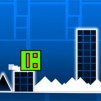
Geometry Jump 2 is the direct successor to the tap-jump gameplay. It's the perfect playground for those craving a pure challenge that demands timing skills.
Control Mechanisms in Geometry Jump 2
- Jumping: Use the Spacebar or left mouse button to jump.
- Special Moves: The F key can be used to perform special moves.
- Menu Navigation: Use the cursor to navigate the menu and select levels. The smooth, one-touch controls make jumping easy to perform, but difficult to master.
Objectives and Difficulty of Geometry Jump 2
The objective of Geometry Jump 2 is to conquer the challenges and reach the finish line of the game. Players must ensure the safety of their character throughout the journey and complete this task. The initial levels help newcomers familiarize themselves with timing and the basic principles of jumping, while later levels demand intense focus and rhythmic precision. As the game progresses, the speed of the cube increases significantly. Some levels include sudden speed boosts, gravity changes, or floating platforms that require perfect timing. Sharp spikes and moving blocks are designed to challenge even skilled players, creating a satisfying difficulty curve that rewards persistence.